A network for every app
Keep your game on Ethernet, downloads on your phone, and browsing on Wi-Fi—at the same time.
 NetRouteDownload
 Send each app through the connection you choose—phone hotspot, Wi-Fi, or Ethernet—all at once, without a VPN.
Windows 10/11 · 64-bit · Administrator install
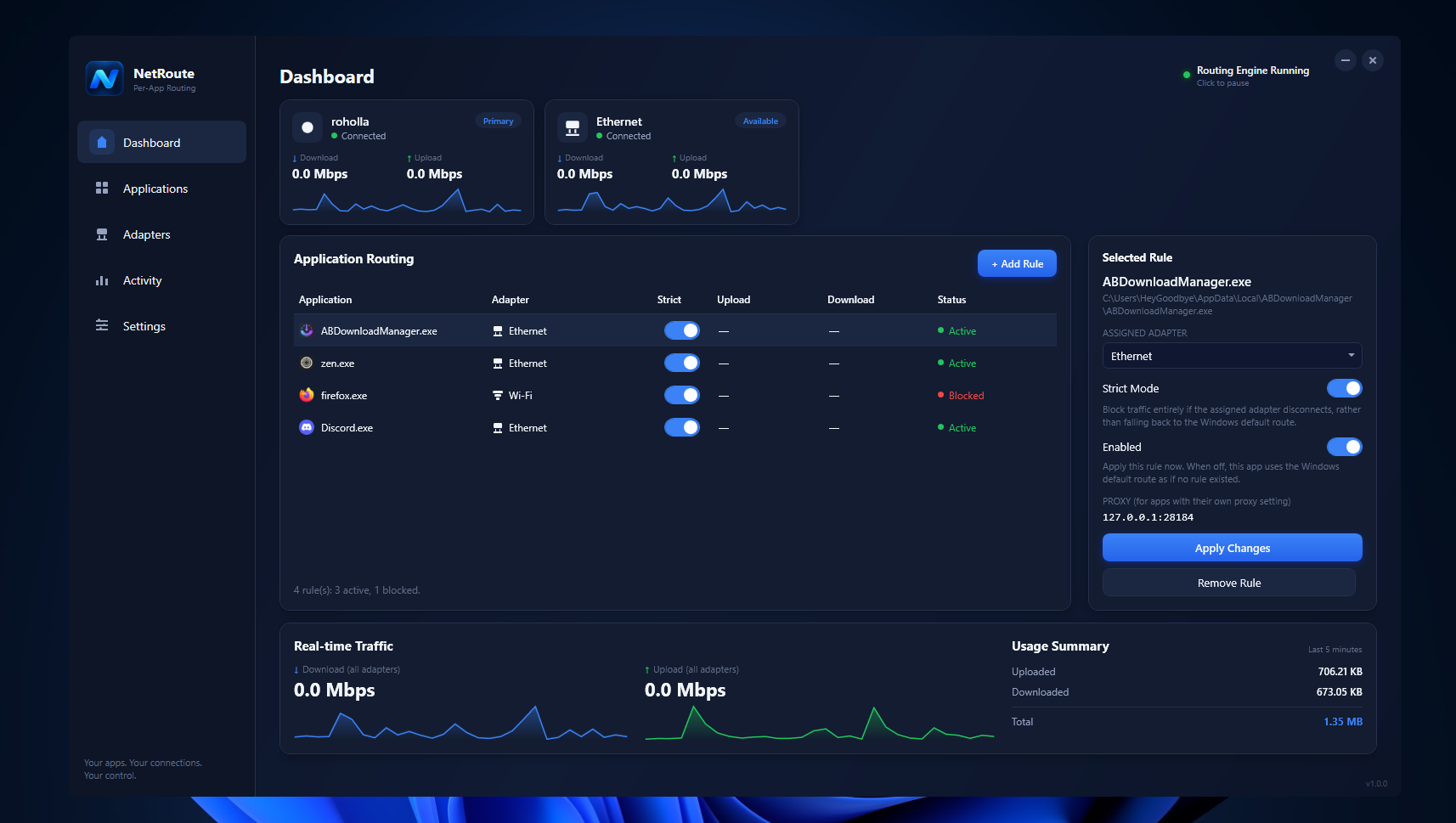
Windows normally chooses one default route for everything. NetRoute gives you a precise rule for each application.
Keep your game on Ethernet, downloads on your phone, and browsing on Wi-Fi—at the same time.
If an assigned adapter drops, Strict Mode blocks that app instead of quietly falling back.
See live adapter bandwidth, per-app upload and download totals, and connection status.
Use the built-in HTTP/HTTPS proxy when every connection must leave through the right adapter from packet one.
The Windows service keeps enforcing your rules after the window closes to the system tray.
Route locally between the adapters you already have. No tunnel, remote server, or subscription.
The dashboard brings adapter health, application rules, strict-mode status, and real traffic together in one place.
Choose the routing method that matches the application and how much first-connection precision matters.
WinDivert transparently catches matched connections and redirects them through your selected adapter. No in-app configuration needed.
Understand the best-effort pathPoint apps with proxy support at NetRoute’s local HTTP/HTTPS proxy. NetRoute creates the outbound connection itself, avoiding the connection race.
Set up the proxy pathWPF dashboard, rule editor, settings, and tray controls.
The Windows service enforces every active rule in the background.